LAN Commander
A downloadable tool for Windows
LAN Commander Win - Keyboard-Driven TUI File Manager for Windows
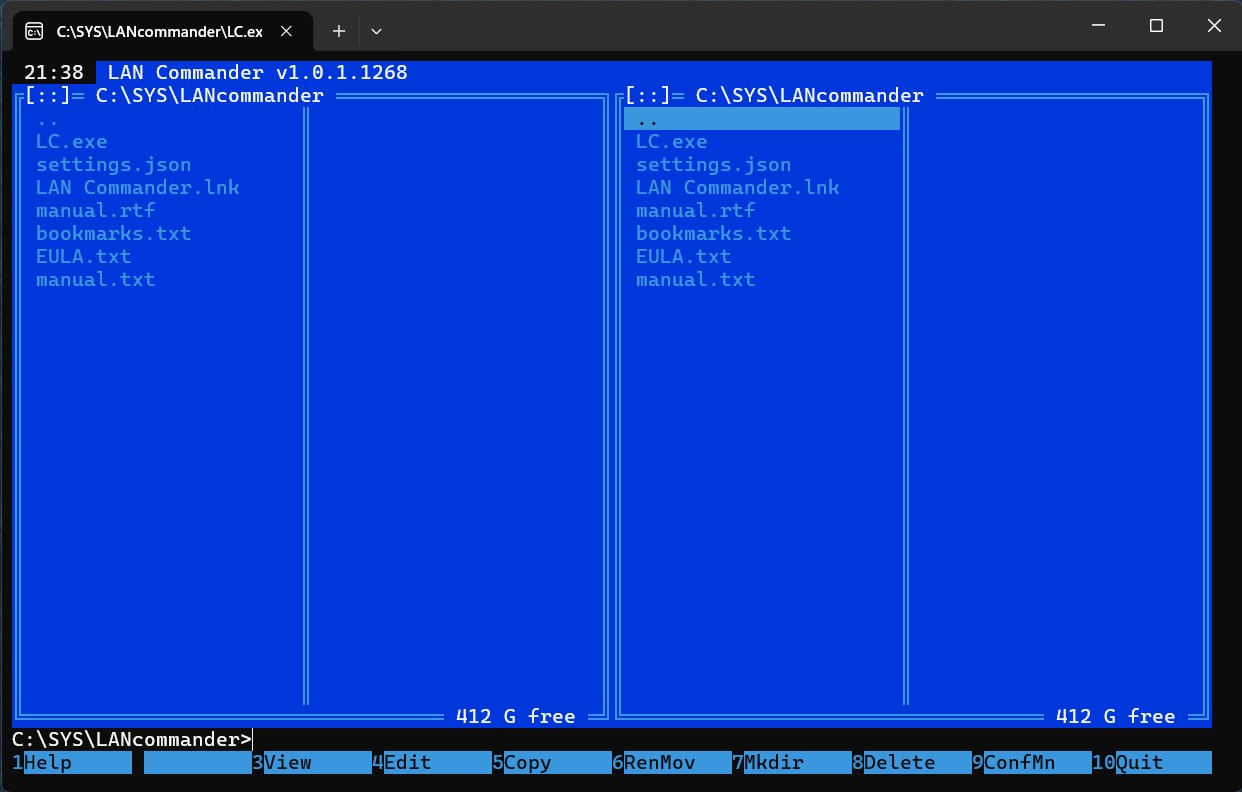
A modern, keyboard-driven, dual-panel Text User Interface (TUI) file manager for Windows, inspired by the classic Norton Commander and Far Manager. LAN Commander Win is a lightweight, portable, and high-performance file manager designed for developers, system administrators, and power users who appreciate the speed and efficiency of terminal-based navigation. Built natively in C++ using the Windows Console API, it combines the classic dual-panel layout with modern integration features, alternate screen buffer console integration, active network scanning, and a built-in text/hex editor.
Key Features
📁 Dual-Panel Navigation & UI
- Classic Layout: Toggle between Short View (compact columns) and Full View (detailed file info) with persistent settings. The bottom function bar cleanly displays all hotkeys, including 2UsrMenu instead of empty gaps.
- Customizable User Menu (F2): Trigger an interactive User Menu reading from menu.json. Execute custom scripts, system tools, and utilities instantly. Features a built-in menu editor: press Insert to add a new command, F4 to edit, and Delete to delete commands directly from the TUI. When the menu is active, the footer dynamically updates to display Enter: Run command.
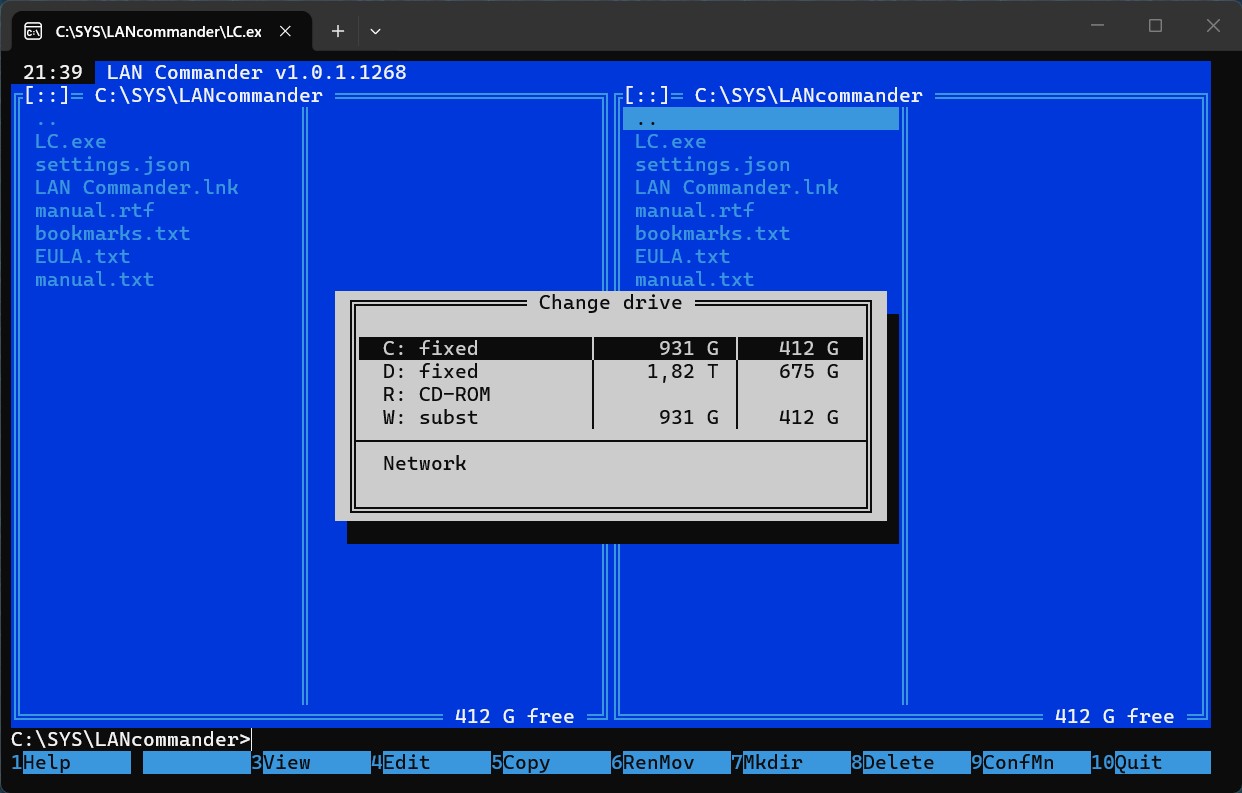
- Smart Drive Selection: Quick drive menu (Alt+F1 / Alt+F2) displaying drive letters, types, and capacities. The application automatically remembers and restores your last visited directory for each drive.
- Quick Filter (Ctrl+I): Dynamically filter the active panel using wildcards (*, ?) or substrings to instantly find what you need.
- Folder History (Alt+F12): Access a persistent list of up to 15 recently visited directories to jump back to your work instantly. The footer hint dynamically updates to display Enter: Go to folder.
- Mouse & Drag-and-Drop Support: Full support for mouse clicks, double-clicks, scrolling, and drag-and-drop with real-time visual feedback.
🛠️ Advanced File & Directory Management
- Optional Background Copy (F5): Standard internal copying features an enhanced 3-button confirmation dialog: [ Copy ] (blocking/synchronous with detailed progress dialog), [ Background ] (asynchronous, detached background thread with real-time percentage shown in the top bar, e.g., [Copy: 45%], and automated post-copy panel refreshes), or [ Cancel ]. Standard move and rename operations remain synchronous and blocking for maximum safety.
- Multi-Rename Tool (Ctrl+R): Rename multiple selected files with smart counter padding (automatically calculates padding based on the file count, e.g., 001 to 800). Features transactional safety: pre-checks for name conflicts to prevent data loss and performs a safe rollback if an error occurs.
- Folder Size Calculation (Ctrl+Space): Asynchronously calculate directory sizes in the background with a real-time Scanning.. status, keeping the UI responsive.
- Attributes & Timestamps (Ctrl+T): Modify Read-only, Archive, Hidden, and System flags, and edit Creation/Write/Access dates with timezone correction.
- Group Selection (+ / -): Mark or unmark files using interactive wildcard masks.
🌐 Active LAN Scanner & Network Integration
- True Console Integration (Ctrl+O): Swaps active terminal screen buffers, showing you the real, live console scrollback, history, and command outputs. Running console commands or files via Enter or double-click automatically switches to the original console buffer and returns instantly upon completion without blocking "Press any key to return..." prompts. Alphanumeric typing (including 'E' and 'X') works perfectly even when the TUI panels are hidden.
- High-Performance Scanner: Entering net:// triggers a multi-threaded active LAN scanner that scans your local subnet in parallel on ports 445 (SMB) and 139 (NetBIOS/Samba) in under 0.2 seconds.
- Secure Credentials Prompting: If a network resource is password-protected, LAN Commander securely prompts for a username and password (masked with *) to establish the connection.
📦 Archive Virtual File System (VFS)
- Native Archive Browsing: Enter .zip, .7z, and .rar archives as if they were regular folders.
- Modification Support: Add or delete files directly inside .zip archives. Modifying .7z and .rar is safely blocked to prevent archive corruption.
📝 Built-in Text & Hex Editor (F4)
- Vertical Block Selection (Alt + Shift + Arrows / Alt + Mouse Drag): Select columnar blocks of text. Selecting a column block is fully inclusive of start and end coordinates. Dragging the cursor down in a single column cleanly selects a 1-character-wide vertical column. You can copy (Ctrl+C), cut (Ctrl+X), or delete (typing, Backspace, Delete) the selected column block across multiple lines.
- Smart Binary Detection: Automatically detects binary files (.exe, .dll, .png, etc.) and opens them in HEX mode by default.
- Hexadecimal Mode (F8): View raw binary data and edit individual bytes (nibbles) safely.
- Advanced Navigation: Full support for PageUp / PageDown and mouse wheel scrolling, with the cursor automatically kept within the visible area.
- Multi-Buffer Queue (F9): Open multiple files sequentially and cycle through active buffers.
- Clipboard Integration: Full support for standard Windows Clipboard operations (Ctrl+C, Ctrl+X, Ctrl+V).
- Undo/Redo (Ctrl+Z / Ctrl+R): Full history of modifications per buffer.
- Suspend Session (F12): Temporarily return to the panels while preserving all open files, cursor coordinates, and undo/redo histories.
Quick Hotkey Reference
Hotkey | Action |
|---|---|
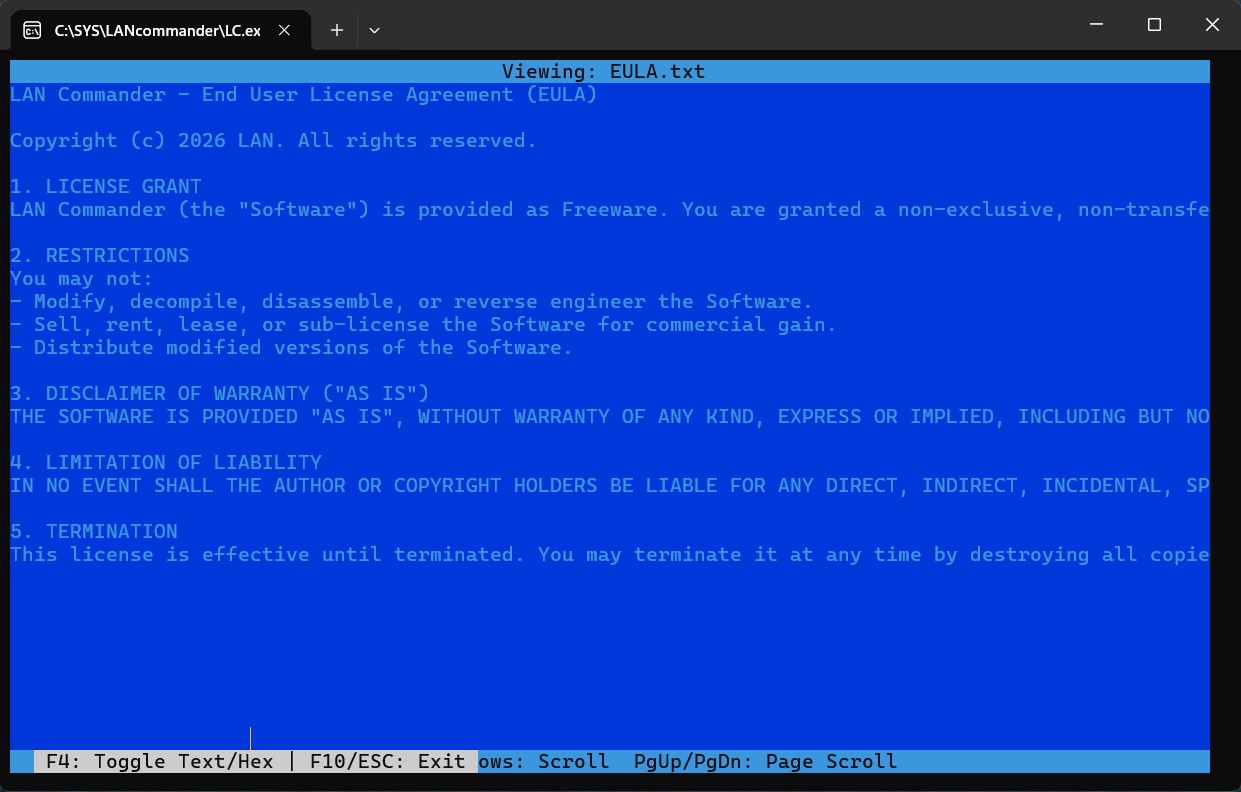
F3 | Open Internal File Viewer |
F4 | Open selected file in Editor / Hex Editor |
F5 | Copy selected items (with optional Background Copy) |
F6 | Move/Rename selected items (synchronous/blocking) |
F7 | Create a new directory |
F8 | Delete selected items (Send to Recycle Bin or permanently) |
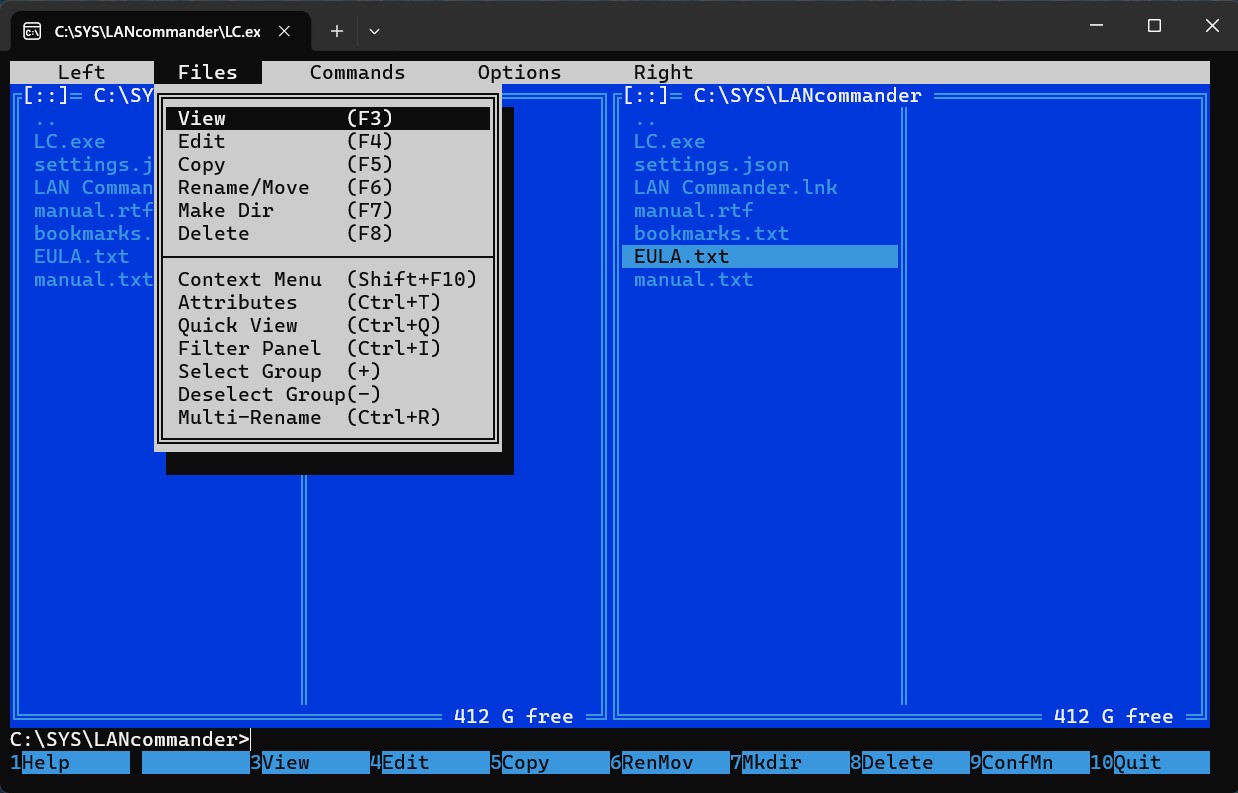
F9 | Open Top Dropdown Menu |
F10 / Esc | Exit LAN Commander Win / Close active dialog |
Ctrl + R | Open Multi-Rename Tool |
Ctrl + I | Filter active panel |
Ctrl + H | Toggle hidden and system files |
Ctrl + Q | Toggle Quick View (Folder Statistics) |
Ctrl + L | Toggle Info View on the opposite panel |
*Ctrl + * | Jump to the root directory of the active drive |
Alt + F7 | Search for files recursively (supports text search inside files) |
Alt + F8 | Open Command History Dialog |
Alt + F12 | Open Folder History Dialog |
Ctrl + O | Toggle panels (swaps to native console buffer) |
F2 | Open customizable User Menu |
System Requirements & Portability
- OS: Windows 10 / 11 (64-bit)
- Terminal: Windows Console Host (conhost) or Windows Terminal
- Portability: 100% portable. No installation required, no registry modifications. Settings are saved locally in settings.json, bookmarks in bookmarks.json, and the custom user menu in menu.json.
Download
Click download now to get access to the following files:
Development log
- LAN Commander - Keyboard-Driven TUI File Manager50 days ago
Leave a comment
Log in with itch.io to leave a comment.